Passwordless Authentication
Passkeys: The Next Frontier in Passwordless Authentication
February 27, 2025 · 10 min read
Passkeys are one of the most significant changes in consumer authentication in years. Instead of relying on a memorized secret, they rely on a cryptographic credential stored on your device and bound to each website or app.
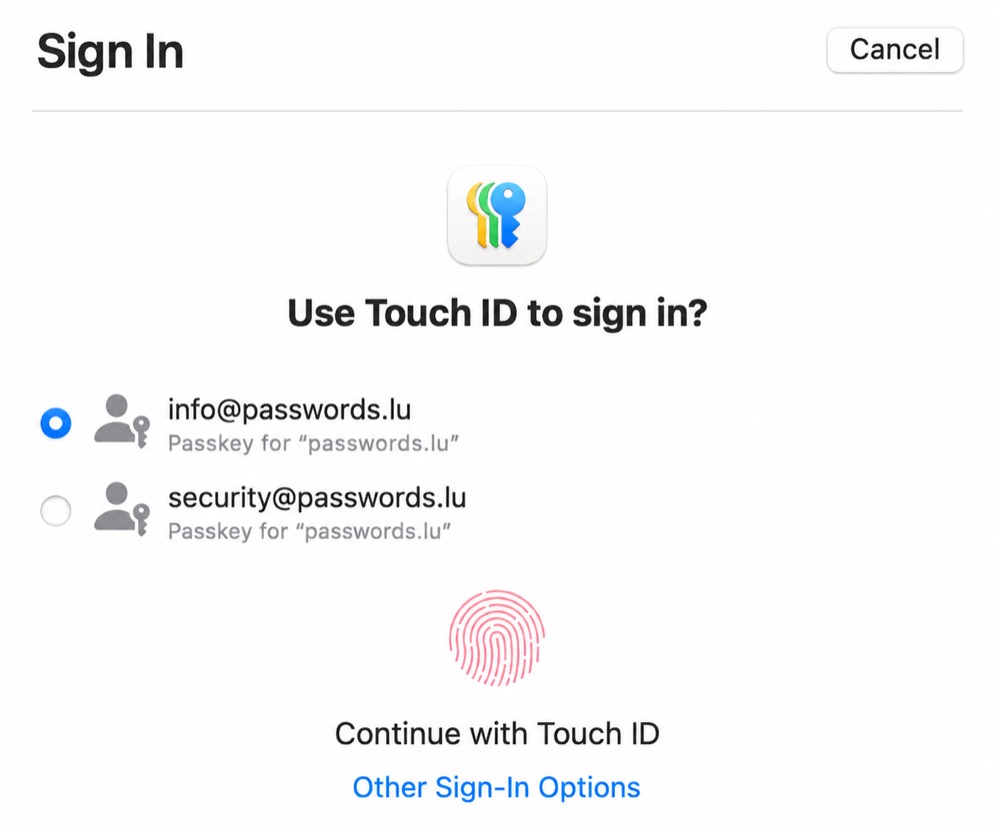
That shift matters because many of the biggest password problems—phishing, reuse, and stolen password databases—are symptoms of the shared-secret model. Passkeys are a better primitive, but they are not magic: UX, recovery, and ecosystem politics still decide whether people actually use them.
What Passkeys Are
A passkey is built on public-key cryptography, using WebAuthn and FIDO standards. Your device keeps a private key, while the service stores only the matching public key.
When you sign in, your device proves possession of the private key by signing a challenge. The private key itself is never revealed to the website the way a password would be.
Synced vs. Device-Bound Passkeys
Not all passkeys behave the same way. A synced passkey is backed up and made available through a platform or password manager, such as Apple Passwords, Google Password Manager, Windows, or a compatible third-party manager. That makes daily use and device replacement easier.
A device-bound passkey stays on a particular authenticator, such as a hardware security key. That can be stronger for some enterprise and administrator scenarios, but it is less forgiving if the device is lost and no backup authenticator was enrolled.
This distinction matters for assurance. NIST SP 800-63B-4 treats syncable authenticators as useful and phishing-resistant in the right setting, but AAL3 — NIST's highest Authentication Assurance Level, used for the most sensitive access where verifier impersonation and authenticator compromise must be strongly resisted — requires a non-exportable private key. That means synced passkeys are not the right fit for every high-assurance use case.
Why Passkeys Are Better Than Passwords
- No shared password to steal from a database breach
- Strong resistance to typical phishing that tricks you into typing a secret on the wrong site, because credentials are bound to the real origin
- No need to memorize or type long secrets for day-to-day login
- Less pressure to reuse the same credential across unrelated services
Typical Workflows (What Actually Happens)
- Registration: the site asks you to create a passkey (sometimes right after email verification, sometimes from security settings). Your phone or laptop prompts for Face ID, Touch ID, Windows Hello, or a device PIN—not to “send your fingerprint to the cloud,” but to authorize the local authenticator. The authenticator generates a fresh key pair for that site, and only the public key is sent upstream.
- Returning sign-in: you enter an account identifier if needed, then the site sends a cryptographic challenge. You approve the same local prompt; the device signs the challenge; the server verifies the signature against the stored public key. No password is typed unless the site still keeps one as a fallback.
- New device or browser: synced passkeys may appear automatically once you sign in to your platform vault (for example Apple’s or Google’s password manager) or a compatible third-party manager. If nothing syncs, you may need another device that still has the passkey, a backup code flow, or to fall back to password + MFA until you enroll again—this is where user frustration often appears first.
- Fallbacks: many services still keep passwords, magic links, or SMS for recovery. That overlap is not passkeys “failing”; it reflects how hard account recovery is to get right without creating new fraud paths.
Common Misconceptions
- “The website gets my fingerprint.” No. Biometric data stays on-device; the site receives a cryptographic response, not an image of your face or finger.
- “Passkeys mean phishing is impossible.” They remove the classic “type your password into a fake page” attack for passkey-only flows, but they do not stop every scam. Malware on a trusted device, deep fakes, or tricking you into approving the wrong prompt can still matter.
- “A passkey is just MFA.” A passkey can satisfy the goal people wanted from MFA—proof tied to a device and local user verification—but it is not the same as typing a password and then copying a six-digit code. The protocol binds the authentication response to the real website.
- “One passkey unlocks everything.” Each relying party gets its own key material scoped to that origin. Your bank and your email provider do not share one mega-passkey.
- “Passkeys are just an Apple feature.” Apple pushed hard on UX, but Google, Microsoft, and many password managers implement the same standards—interoperability is real, yet still uneven in edge browsers and enterprise tooling.
- “I can copy my passkey into a spreadsheet.” Passkeys are not meant to be human-readable secrets you paste around. That design is deliberate; it also clashes with habits people built over decades with passwords.
Why Adoption Has Been Slower Than the Hype
Standards and OS support arrived faster than everyday user understanding. People were trained for thirty years that a password “is” the account; asking them to trust invisible keys, cloud sync, or a vendor-specific prompt feels abstract when something breaks.
Business and engineering incentives also lag. Implementing WebAuthn correctly (attestation formats, resident keys, recovery, customer support playbooks) costs more than shipping another password field. Small teams deprioritize it; large enterprises often still mandate passwords plus legacy MFA for compliance.
- Fragmented UX: prompts, wording, and “where is my passkey?” differ across Android, iOS, Windows, and browsers—support desks hear about it.
- Recovery fear: losing a device without backups still feels scarier than “I forgot my password,” even if recovery paths exist.
- Platform trust: some users dislike the idea that keys sync through Apple, Google, or a manager—even when the crypto is designed so providers should not see private keys.
- Partial rollout: if only the mobile app supports passkeys but the desktop site does not (or vice versa), people bounce back to passwords and assume passkeys “do not work.”
Portability Is Getting Better
One legitimate criticism of early passkey rollouts was lock-in: if your passkeys live inside one platform vault, how easy is it to move to another? The FIDO Alliance has been working on the Credential Exchange Protocol and Credential Exchange Format to make credential transfer safer and more interoperable.
That work is important, but it should be described carefully: portability is improving, not solved everywhere. In 2026, users should still check where their passkeys are stored, whether their password manager supports passkeys, and what export or recovery story exists before relying on a single provider.
Where Passkeys Still Have Limits
- Not every service supports them yet, especially niche tools, self-hosted software, and some corporate VPN flows.
- Device loss and estate planning are harder stories than “reset password via email.”
- Cross-device scenarios still depend on sync providers, hardware tokens, or re-enrollment discipline.
- During the long transition, you will still carry strong passwords for many accounts.
What This Means for Users Today
Use passkeys when a service offers them—especially for high-value accounts—because they genuinely cut phishing-style password theft. Pair them with a password manager and known recovery options.
Expect a mixed world for years: passkeys on some logins, strong generated passwords elsewhere, and occasional frustration when flows are half-implemented. That unevenness explains the gap between enthusiasm from security teams and lukewarm headlines from mainstream users.
A Practical Setup Checklist
- Create passkeys first for email, password manager, banking, cloud storage, developer accounts, and social accounts that are often targeted.
- Keep at least two recovery paths: another trusted device, a hardware security key, backup codes, or a documented account recovery flow.
- Do not delete your password until the service clearly supports passkey-only sign-in and you understand recovery.
- For work accounts, ask whether the policy needs synced passkeys, device-bound security keys, or both.
Passwords still matter during the transition
Until passkeys are available everywhere, use long unique passwords and run our breach test from time to time on important accounts.