Account Security
10 Accounts You Should Never Protect with Just a Password
July 3, 2026 · 9 min read
Passwords have protected our online accounts for decades. Despite predictions of their demise, they remain the most common way to sign in to websites, apps, and online services—for various reasons.
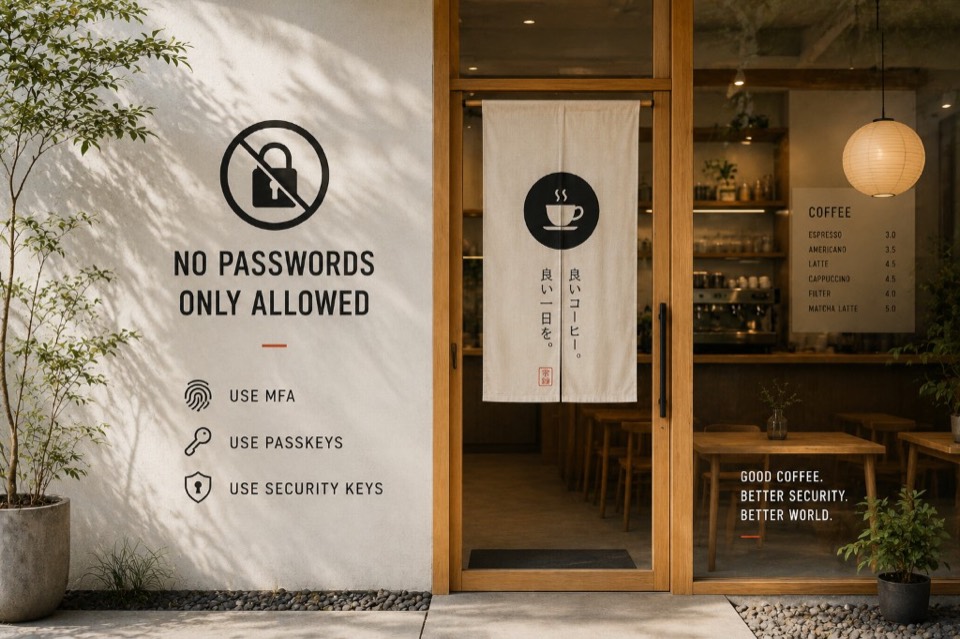
But here is the reality: passwords alone are no longer enough to protect your most important online accounts.
Cybercriminals rarely spend time attempting to guess strong passwords manually. Instead, they weaponize automated tools to harvest credentials at scale. According to the 2026 Verizon Data Breach Investigations Report (DBIR), stolen credentials remain one of the most common ways attackers gain initial access, with credentials involved in 39% of breaches globally across the attack chain.
Even a perfectly random, 20-character password offers little protection if it is entered into a fake website or exposed in a company breach. A strong password is a necessary first line of defense—but it should not be your only defense for accounts that matter.
Why Passwords Alone Fail
The core weakness of a password is not necessarily its complexity; it is the vulnerability of the transmission process.
A password is a shared secret between you and the website. Although reputable websites store only a hashed version of your password rather than the password itself, an attacker who obtains that database may still crack weak passwords or exploit password reuse to access your other accounts across the web.
- Phishing attacks: spoofed login pages designed to trick you into typing credentials into an attacker's server. Learn more about how hackers steal passwords.
- Data breaches: attackers infiltrate corporate systems to steal password databases. If you reuse credentials elsewhere, a single breach can cascade—see how to check for leaked passwords.
- Credential stuffing: automated bots testing leaked email and password combinations across thousands of sites—another reason reuse is dangerous.
- Session hijacking: malware that steals browser session cookies, allowing threat actors to bypass the login screen completely.
Fortunately, the solution is not to memorize increasingly complex keys. Modern password managers generate long, random combinations for every website automatically, giving you maximum password entropy and unique credentials without having to remember them.
10 Critical Accounts That Require Extra Protection
1. Your Primary Email Account
Your email functions as the centralized master key to your digital life. If an attacker gains access to your inbox, they do not need to guess your other passwords. They navigate to banking, shopping, or cloud platforms, request a password reset, and intercept the confirmation links directly from your inbox.
What to use: A unique password paired with an authenticator app or a passkey. Test whether your current secret is strong enough with our password strength checker.
2. Banking and Financial Accounts
Relying solely on a basic password to protect financial assets carries significant risk. While financial institutions monitor transactions for fraud, an unprotected login can lead to immediate disruption.
What to use: Device biometrics (Face ID or fingerprint), hardware security keys, or app-based transaction approvals.
Security tip: Where possible, choose app-based authenticators over SMS verification codes, which can be intercepted via SIM-swapping attacks.
3. Your Password Manager
Your password manager protects the credentials for nearly every other service you use. If your vault is compromised, your most important online accounts become at risk. See our guide to secure passwords in 2026 for manager hygiene and master-password advice.
What to use: A strong master password combined with a mandatory hardware security key or passkey unlock.
4. Cryptocurrency Wallets and Exchanges
Unlike traditional credit card transactions, blockchain transfers are generally irreversible. Once digital assets leave an exchange account, recovery is usually impossible.
What to use: Hardware wallets for long-term asset storage, and passkeys or strict hardware MFA for exchange logins.
5. Work and Business Accounts
Many major corporate cyberattacks begin with a single employee's compromised credentials. Once inside a network, attackers move laterally through internal systems to lock systems or download proprietary data.
What to use: Enterprise Single Sign-On (SSO) portals, strict conditional-access MFA, and hardware keys for IT administrators.
6. Cloud Storage (iCloud, Google Drive, OneDrive)
Cloud drives host extensive records of personal data, including tax returns, passport scans, personal photos, and automated device backups. A password breach here exposes your private files to potential data extortion.
What to use: Account-level passkeys or mandatory app-based MFA.
7. Social Media Accounts
Attackers regularly hijack high-profile accounts to run fraudulent schemes, distribute malicious links to contacts, or hold business pages for ransom.
What to use: Login alerts and app-based MFA.
8. Government and Healthcare Portals
Tax agencies, pension portals, and medical systems hold unchangeable personal data, such as your Social Security or national identity number. This information can be leveraged for long-term identity fraud.
What to use: Government-approved identity verification apps or hardware-backed MFA.
9. Shopping and E-Commerce Accounts
Even if a retailer masks your financial information, a compromised shopping account allows attackers to use saved payment methods or loyalty points to buy goods shipped to alternative addresses.
What to use: A unique password from our password generator, plus MFA on high-volume shopping sites.
10. Developer and Infrastructure Accounts (GitHub, AWS)
If you manage servers or write software, your credentials dictate corporate supply chains. A compromised developer account allows threat actors to inject malicious code into software updates, impacting thousands of downstream end-users. Understand credential stuffing and reuse risks before assuming a strong password is enough.
What to use: FIDO2 hardware security keys or passkeys, increasingly mandated across major development environments.
The Modern Security Toolkit
You do not need to eliminate passwords overnight, but you should relegate them to a baseline layer. Here are the three tools leading modern defense:
- Passkeys: the current benchmark for consumer authentication. They replace shared secrets with public-key cryptography tied to your device—inherently phishing-resistant. Read our guide on what a passkey is and how sign-in works.
- Authenticator apps (TOTP): software that generates a unique six-digit code every 30 seconds locally on your device—more resistant than SMS. MFA is covered in our passkeys and MFA overview.
- Hardware security keys: physical USB or NFC keys (such as a YubiKey). You must physically touch the device to authenticate, making remote account compromise significantly more difficult.
Frequently Asked Questions
Are passwords becoming obsolete?
Not quite yet. Millions of legacy websites still only support traditional usernames and passwords. For the foreseeable future, a hybrid approach is standard: unique passwords for low-risk accounts, and passkeys or MFA for critical ones.
Why are SMS codes considered unsafe?
SMS-based MFA is better than using only a password, but it is vulnerable to SIM-swapping. Cybercriminals can trick cellular carriers into moving your phone number onto a SIM card they control, allowing them to intercept verification codes remotely.
What makes a passkey safer than a password?
A password is a secret shared between you and a website; if the website's database is breached, your password can be stolen. A passkey never gives its private cryptographic key to the website. Data stored on the company's server is useless to an attacker, so a server-side breach will not compromise your login.
Should I still use a password manager if passkeys exist?
Absolutely. Billions of websites do not yet support passkeys. A password manager lets you generate and store unique, strong keys for legacy sites, preventing dangerous reuse. Our random password guide explains length, managers, and when to rotate secrets.
Final Thoughts
Total security is not about finding a single, unbreakable lock; it is about creating successive layers of defense. By maintaining unique passwords via a manager and wrapping high-value accounts in MFA or passkeys, you make your digital footprint a difficult target for automated attacks.
Review your primary accounts today. If an unauthorized user discovered that single password, could they access your digital identity? If the answer is yes, it is time to deploy your next layer.
Strengthen the accounts that matter most
Generate unique passwords, check whether old secrets appear in breaches, and read our guides on passkeys and how attackers crack passwords.